

The @sourcebot/mcp npm
package has been deprecated as of 2026-03-04. Please migrate to using the
streamable http transport.
Use cases
- Context for local agents: Plug the MCP into coding agents like Cursor, Claude Code, or Copilot to give them context across your entire codebase, not just the open workspace.
- Building autonomous AI agents: Use Sourcebot as a code context layer for multi-agent systems that review PRs, auto-fix bugs, and answer questions across the company.
Getting Started
Sourcebot MCP uses a Streamable HTTP transport hosted at the/api/mcp route. Two authorization mechanisms are supported:
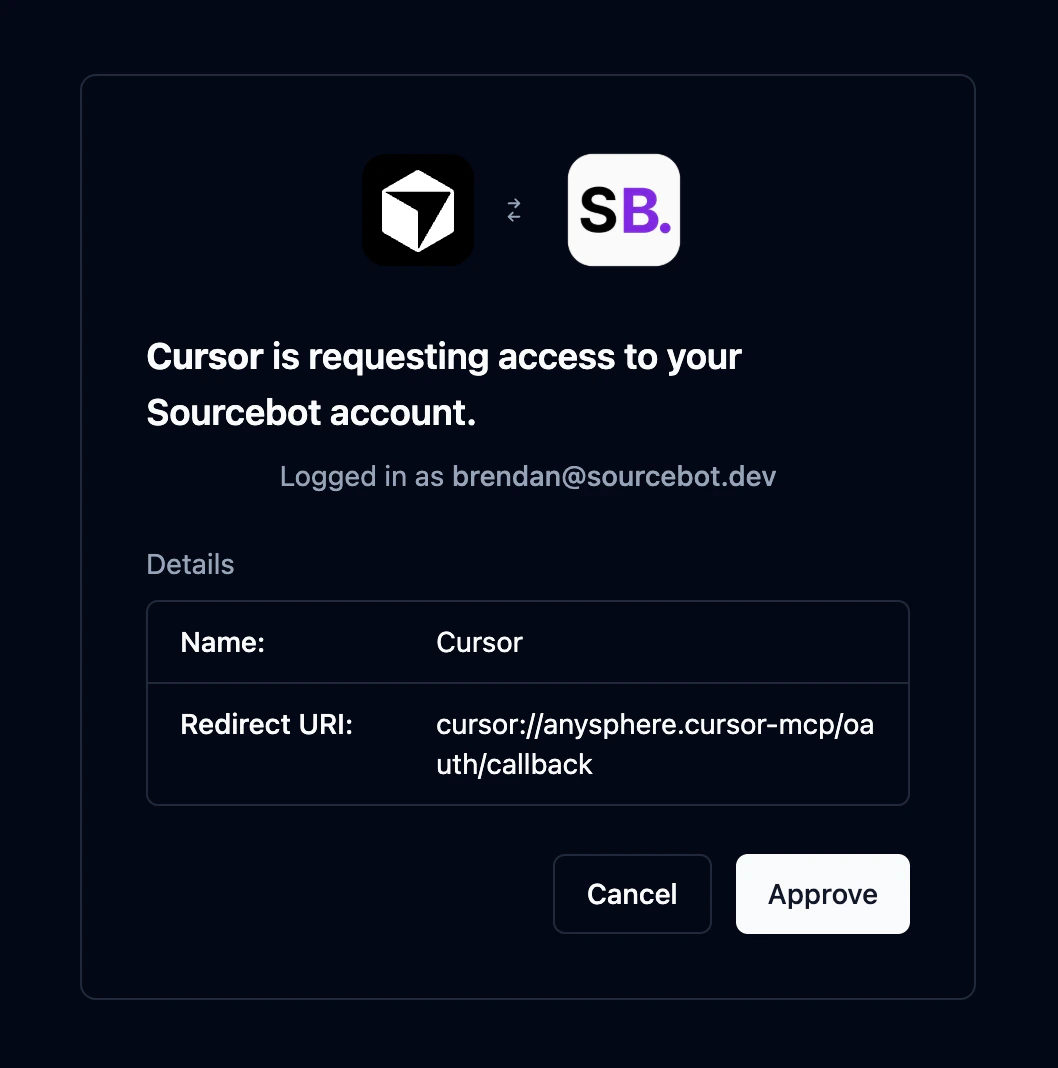
- OAuth (preferred): MCP clients that support OAuth 2.0 will automatically handle the authorization flow and issue a short lived access token. No API key or manual token management required. Only available with an active Enterprise license.
- API key: Any MCP client can authorize using a Sourcebot API key passed as a
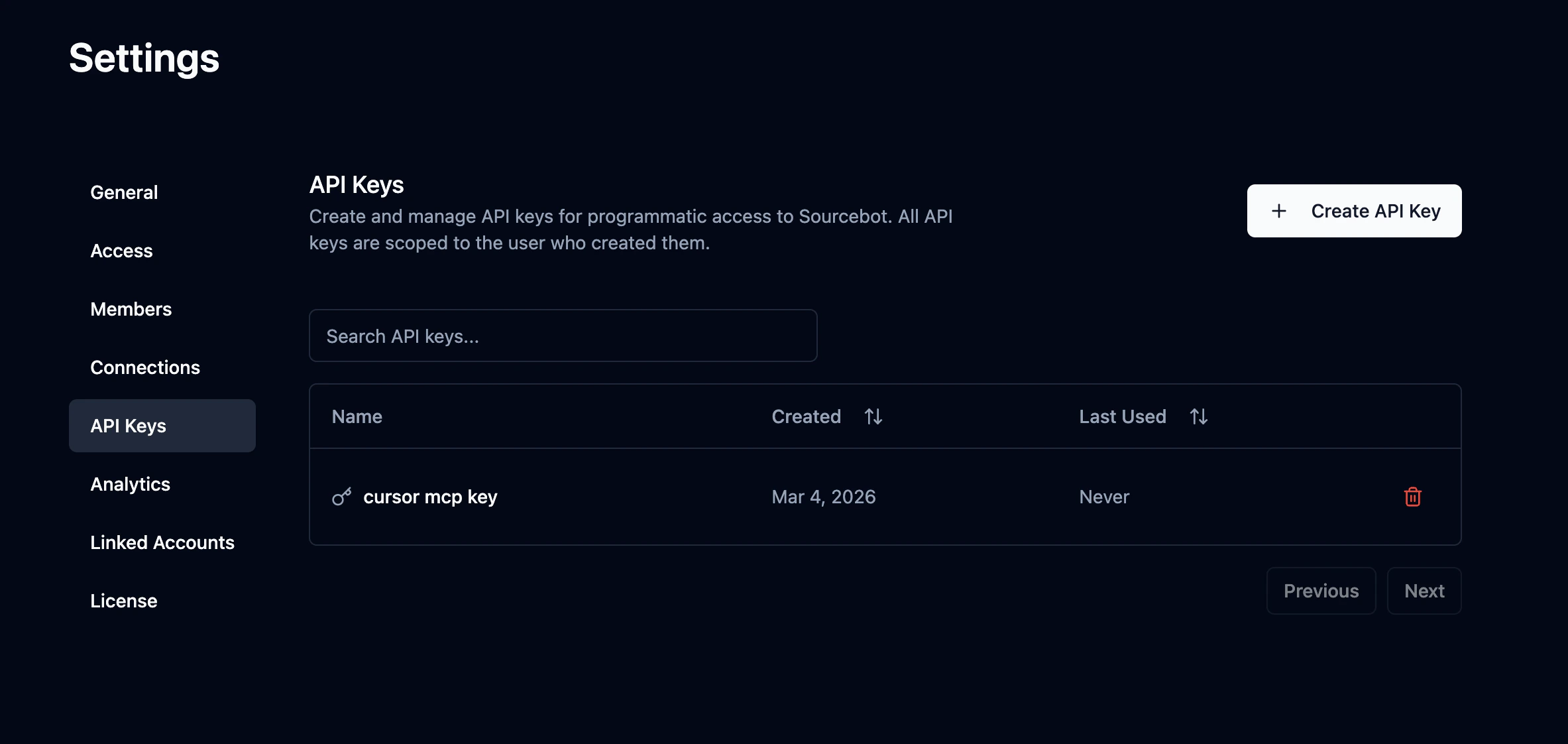
Authorization: Bearer <key>header. Create one in Settings → API Keys.
If anonymous access is enabled on your Sourcebot instance, no OAuth token or API key is required. You can connect directly to the MCP endpoint without any authorization.
Claude Code
Claude Code
Claude Code MCP docsRun the following command:Replace
- OAuth
- API Key
is only available with an active Enterprise license. Please add your license key to activate it.
https://sb.example.com with wherever your Sourcebot instance is hosted. Claude Code will automatically handle the OAuth 2.0 authorization flow the first time you connect.Cursor
Cursor
Cursor MCP docsGo to: Replace
Settings -> Cursor Settings -> Tools & MCP -> New MCP ServerPaste the following into your ~/.cursor/mcp.json file:- OAuth
- API Key
is only available with an active Enterprise license. Please add your license key to activate it.
https://sb.example.com with wherever your Sourcebot instance is hosted. Cursor will automatically handle the OAuth 2.0 authorization flow the first time you connect.VS Code
VS Code
VS Code MCP docsAdd the following to your .vscode/mcp.json file:Replace
- OAuth
- API Key
is only available with an active Enterprise license. Please add your license key to activate it.
https://sb.example.com with wherever your Sourcebot instance is hosted. VS Code will automatically handle the OAuth 2.0 authorization flow the first time you connect.Codex
Codex
Codex MCP docsAdd the following to your Replace
~/.codex/config.toml file:- OAuth
- API Key
is only available with an active Enterprise license. Please add your license key to activate it.
https://sb.example.com with wherever your Sourcebot instance is hosted. Then run the following to authenticate:OpenCode
OpenCode
OpenCode MCP docsAdd the following to your Replace
opencode.jsonc file:- OAuth
- API Key
is only available with an active Enterprise license. Please add your license key to activate it.
https://sb.example.com with wherever your Sourcebot instance is hosted. OpenCode will automatically handle the OAuth 2.0 authorization flow the first time you connect. You can also manually trigger it with:Windsurf
Windsurf
Windsurf MCP docsGo to: Replace
Windsurf Settings -> Cascade -> Add Server -> Add Custom ServerPaste the following into your ~/.codeium/windsurf/mcp_config.json file:- OAuth
- API Key
is only available with an active Enterprise license. Please add your license key to activate it.
https://sb.example.com with wherever your Sourcebot instance is hosted. Windsurf will automatically handle the OAuth 2.0 authorization flow the first time you connect.Authorization
The Sourcebot MCP server supports two authorization methods, OAuth and API keys. If anonymous access is enabled on your instance, no authorization is required. Regardless of which method you use, all MCP requests are scoped to the associated Sourcebot user and inherit the user’s role and permissions. When permission syncing is configured, this includes repository permissions - the MCP server will only surface results from repositories the user has access to.OAuth 2.0
is only available with an active Enterprise license. Please add your license key to activate it.
API Key (Bearer token)
API keys provide a simpler alternative to OAuth that works with any MCP client. Each key is scoped to the user who created it and inherits their permissions. To create one, navigate to Settings → API Keys and click Create API Key. Pass the key as anAuthorization: Bearer <key> header when connecting to the MCP server.
Available Tools
grep
Searches for code matching a regular expression pattern across repositories, similar to grep/ripgrep. Always case-sensitive. Results are grouped by file and include line numbers.
Parameters:
| Name | Required | Description |
|---|---|---|
pattern | yes | The regex pattern to search for in file contents. |
path | no | Directory path to scope the search to. Defaults to the repository root. |
include | no | File glob pattern to include in the search (e.g. *.ts, *.{ts,tsx}). |
repo | no | Repository name to search in. If not provided, searches all repositories. Use the full name including host (e.g. github.com/org/repo). |
ref | no | Commit SHA, branch or tag name to search on. If not provided, defaults to the default branch. |
limit | no | Maximum number of matching files to return (default: 100). |
list_repos
Lists repositories indexed by Sourcebot with optional filtering and pagination.
Parameters:
| Name | Required | Description |
|---|---|---|
query | no | Filter repositories by name (case-insensitive). |
page | no | Page number for pagination (min 1, default: 1). |
perPage | no | Results per page for pagination (min 1, max 100, default: 30). |
sort | no | Sort repositories by ‘name’ or ‘pushed’ (most recent commit). Default: ‘name’. |
direction | no | Sort direction: ‘asc’ or ‘desc’ (default: ‘asc’). |
read_file
Reads the source code for a given file, with optional line range control for large files.
Parameters:
| Name | Required | Description |
|---|---|---|
repo | yes | The repository name. |
path | yes | The path to the file. |
ref | no | Commit SHA, branch or tag name to fetch the source code for. If not provided, uses the default branch. |
offset | no | Line number to start reading from (1-indexed). Omit to start from the beginning. |
limit | no | Maximum number of lines to read (max: 500). Omit to read up to 500 lines. |
list_tree
Lists files and directories from a repository path. Directories are shown before files at each level.
Parameters:
| Name | Required | Description |
|---|---|---|
repo | yes | The name of the repository to list files from. |
path | no | Directory path (relative to repo root). If omitted, the repo root is used. |
ref | no | Commit SHA, branch or tag name to list files from. If not provided, uses the default branch. |
depth | no | Number of directory levels to traverse below path (min 1, max 10, default: 1). |
includeFiles | no | Whether to include file entries in the output (default: true). |
includeDirectories | no | Whether to include directory entries in the output (default: true). |
maxEntries | no | Maximum number of entries to return before truncating (min 1, max 10000, default: 1000). |
list_commits
Get a list of commits for a given repository.
Parameters:
| Name | Required | Description |
|---|---|---|
repo | yes | The name of the repository to list commits for. |
query | no | Search query to filter commits by message content (case-insensitive). |
since | no | Show commits more recent than this date. Supports ISO 8601 (e.g., ‘2024-01-01’) or relative formats (e.g., ‘30 days ago’). |
until | no | Show commits older than this date. Supports ISO 8601 (e.g., ‘2024-12-31’) or relative formats (e.g., ‘yesterday’). |
author | no | Filter commits by author name or email (case-insensitive). |
ref | no | Commit SHA, branch or tag name to list commits of. If not provided, uses the default branch. |
page | no | Page number for pagination (min 1, default: 1). |
perPage | no | Results per page for pagination (min 1, max 100, default: 50). |
glob
Finds files whose paths match a glob pattern across repositories (e.g. **/*.ts, src/**/*.test.{ts,tsx}). Results are grouped by repository.
Parameters:
| Name | Required | Description |
|---|---|---|
pattern | yes | Glob pattern to match file paths against (e.g. **/*.ts, src/**/*.test.{ts,tsx}). |
path | no | Restrict results to files under this subdirectory. |
repo | no | Repository name to search in. If not provided, searches all repositories. Use the full name including host (e.g. github.com/org/repo). |
ref | no | Commit SHA, branch or tag name to search on. If not provided, defaults to the default branch. |
limit | no | Maximum number of files to return (default: 100). |
find_symbol_definitions
Finds where a symbol (function, class, variable, etc.) is defined in a repository.
Parameters:
| Name | Required | Description |
|---|---|---|
symbol | yes | The symbol name to find definitions of. |
repo | yes | Repository name to scope the search to. Use the full name including host (e.g. github.com/org/repo). |
find_symbol_references
Finds all usages of a symbol (function, class, variable, etc.) across a repository.
Parameters:
| Name | Required | Description |
|---|---|---|
symbol | yes | The symbol name to find references to. |
repo | yes | Repository name to scope the search to. Use the full name including host (e.g. github.com/org/repo). |
list_language_models
Lists the available language models configured on the Sourcebot instance. Use this to discover which models can be specified when calling ask_codebase.
Parameters:
This tool takes no parameters.
ask_codebase
Ask a natural language question about the codebase. This tool uses an AI agent to autonomously search code, read files, and find symbol references/definitions to answer your question. Returns a detailed answer in markdown format with code references, plus a link to view the full research session in the Sourcebot web UI.
Parameters:
| Name | Required | Description |
|---|---|---|
query | yes | The query to ask about the codebase. |
repos | no | The repositories that are accessible to the agent during the chat. If not provided, all repositories are accessible. |
languageModel | no | The language model to use for answering the question. Object with provider and model. If not provided, defaults to the first model in the config. Use list_language_models to see available options. |
visibility | no | The visibility of the chat session ('PRIVATE' or 'PUBLIC'). Defaults to PRIVATE for authenticated users and PUBLIC for anonymous users. Set to PUBLIC to make the chat viewable by anyone with the link (useful in shared environments like Slack). |